 QuickReckoning.com
|
|
|
|

Custom Search
Schools: Teach Essential Math Facts at School and Home Free 30 Day Trial Use at Home or Your School Network "Success with higher level math depends on a fundamental grasp of the
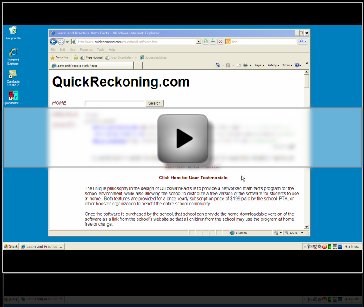
basics in the early grades. The unique philosophy in the design of our Quick Math Facts software is to provide a networked math facts software program for the school environment, while also allowing the school to distribute the software for students to use at home. Both features by QuickReckoning benefit the entire school and surrounding community. Our product's gimmick-free, non-video-game approach of Quick Math Facts limits the distractions presented by other math facts software products, which are not helpful for longer term retention of math facts. Children enjoy doing "real" work on the computer and do not need to have everything presented to them by cartoon characters to "make learning fun". Instead, the steady progress they achieve with regular practice builds confidence and helps them keep up with math at school without falling behind or feeling "stupid". Studies have recently shown that "educational" software based on a video game type of routine is not effective for learning. The increase in self esteem resulting from truly knowing the math facts is a far bigger reward for a child than any transient success in a game. To watch an introductory video of how to use Quick Math Facts at your school, click on the image below:
We're offering a free installation for home use or of our networked Quick Math Facts product at schools so that your school can find use it at no cost! Simply install the home or networked version. Once Quick Math Facts is installed, the school can provide the home version of Quick Math Facts as a link from the school's website, or link to ours, so that all children from the school may use the program at home as well as at school at no cost. Teachers frequently use timed or other paper tests to assess math fact knowledge. However, paper and pencil tests take up a lot of class time, not to mention teacher time in processing those tests, and can hold back students who complete tests early. With Quick Math Facts Software on the school computer network, a teacher can send students to the computer at any time to complete an assigned test on a specific set of math facts (for example, multiplication tables from 1s up to 9s) and look at the scores later after all students have had an opportunity to test. Student performance data can be exported and charted in Excel or Access, thus giving teachers accurate performance statistics and avoiding the need to manually grade timed tests. Students who need extra practice can be brought up to speed with homework (Quick Math Facts licensed for home use) assigned by the teacher, without holding up the rest of the class. Students are motivated with the use of color charts which show their progress over time. For example, a Multiplication Chart of their progress shows their progress at learning a list of Multiplication facts based on their test time and accuracy. This Multiplication Chart can be printed at a later time as an award for the student and do demonstrate to parents the progress made by their child over time. If a group of children is tested at the same time in a Quick Math Facts "Virtual Classroom", the "Leaderboard" feature automatically updates scores as children repeat tests, giving the teacher a dynamic window of the progress of the entire class. Virtual classrooms can also be created on the network so that a child can sign in to a specific class on any school computer, making it easy for a teacher to monitor his or her own students or any cross-section of students based on abilities and what facts are being learned. Schools using our math facts software also have the unique opportunity to request additional features or routines at no cost. Our staff provides full programming support and is willing to consider such requests for enhancements and develop them at no charge in order to make Quick Math Facts the premier math facts teaching system. Of course all software updates are included with Quick Math Facts and schools are notified via email if an update is available so that it can be downloaded to the school's server - installed once and immediately all student computers are updated. Parents may download Quick Math Facts for home use with a free 30 day trial. If you are a parent and like the opportunity Quick Math Facts presents to help all the children achieve success in math, please let your school know about the program and our free trial license. If you prefer, you may also contact us with your school's name, address, and the name of a contact person, and we will write to them directly and tell them about Quick Math Facts. In a school using Quick Math Facts, homework practice can be assigned by a teacher and a child can easily manage his or her own practice on a home computer, building his skills and confidence on a daily basis. Students can therefore easily practice their math facts on their own without begging Mom or Dad to find some spare time to play math games or show flash cards, so this works well for busy parents who prefer to supervise their children's homework rather than do it with them. Quick Math Facts runs even on older computers. DID YOU KNOW .. The National
Council of Teachers of Mathematics says that Tom
Loveless, Director of the Brown Center on Education Policy at the Brookings
Institution in Washington DC says that The US
Department of Education is concerned that "Success with higher level math depends on a fundamental grasp of the
basics in the early grades. Quick Math Facts Software Regular use results in a steady improvement in recall of math facts, replacing the need to compute an arithmetic relationship mentally each time it comes up in a math problem. Children who do not know their math facts quickly fall behind when they are taught long division, simplifying fractions, factoring, and pre-algebra, and are unable to determine whether an answer achieved by using a calculator "looks right" or not. The program is appropriate for children aged 6 through 12, but can also be used for remedial help in older children who did not develop these essential skills earlier. For an article explaining the benefits of memorizing math facts, click here. Most web-based math facts practice games present problems one by one and there are internet server delays before the answer is checked, and some even require finding the answer in a grid and clicking on it, so any "timed test" is not an accurate picture of the child's speed of recall. Quick Math Facts, on the other hand, runs in real time on the computer and there are no delays. It can therefore be used to run accurately timed tests on specific sets of facts (e.g. multiplication tables), which allows the child's ACTUAL PROGRESS to be charted and real improvements over time seen clearly to build confidence. The charting feature of Quick Math Facts is very attractive for children, who enjoy seeing and managing their own progress, and this motivates them to get higher and higher scores. For more information on the benefits of regular practice with math facts (also called number facts or math facts), click here. 100% Free Trial Use of Quick Math Facts NETWORK VERSION FOR SCHOOLS - Requires help from your Network Administrator to install Quick Math Facts on the schools Windows Based Network. If you are the school network administrator, and you want to install one copy of Quick Math Facts for the entire school to use via the network, click on the link below. If you are a teacher and simply want to see all the features of Quick Math Facts without requiring a network administrator, then use the "Quick Math Facts Home Version" (see below). The Home Version has all the features available in the network version but isn't installed on the network. It is installed on your personal computer. Install Quick Math Facts Network for Installation on a Network (click here) To download or update to the current version, RUN or OPEN the Link shown above. Directions will appear in order that your school's network administrator can be given explicit instructions for installing Quick Math Facts to a network disk. If you wish to install Quick Math Facts on a single computer to see how it works or to use it at home use the link below. Personal Use Quick Math Facts Software Installation SOFTWARE DOWNLOAD SAFETY When you install Quick Math Facts or any of our products, you can be assured that our products contain no viruses that can harm your computer. If during the installation process you receive messages from Microsoft or other companies which frighten you, please CLICK HERE FOR OUR STATEMENT ON SECURITY. Notes on Quick Math Facts Software Features (NOTE - see the Online User Guide for more detail on how to use the program) At school Quick Math Facts runs on your Windows network allowing any student to run Quick Math Facts from any Windows computer on the school's network. Any teacher or other administrator can use the Admin tools of Quick Math Facts to quickly access performance information for student's using the software. Student's are immediately given feedback on their progress with our color charting feature, and teacher's can access this information as well in both chart and excel worksheet format. Along with the school license comes home access of the program so that students can also run Quick Math Facts at home.
Figure 1 - Each student signs in so that scores can be stored for each student
Figure 2 - The TEST display After selecting the set of problems to be worked using the Tables feature, which allows the user to define the precise rows of facts to be tested and the column to go up to, the Test feature can be selected. The example above shows a test in progress after the user chose to test on all addition facts from row 1 to row 9, up to a maximum of +9. Arithmetic problems are presented in a random order and only numeric entry keys are accepted. Down the left side column, the correct answers to incorrectly answered problems will appear. This display lets a casual observer know which problems are harder for the students. The red ?? characters in the body of the table indicate a problem incorrectly answered. Incorrectly answered math facts are repeated during the test until they are answered correctly. Addition, Subtraction, Multiplication, or Division sets of problems can be selected so testing is very customizable. The problems which were answered incorrectly are stored automatically so that the student can use the "Focus" feature to retest only on those problems which were more difficult the first time. Once the student accomplishes answering these problems with no errors, the complete set of problems can be retaken for evaluation based on a timed test. As an alternative to the Test and Focus features, the Teach feature can be selected for children who do not yet know their math facts. Selecting Teach instead of Test presents the problems randomly but then flashes up the answer for a second, allowing the child to observe this and then experience typing in the correct answer. In this way, the child builds his keyboarding skills and gains speed in typing the numbers, but he also experiences seeing the whole arithmetic problem and its solution so he can learn the facts. Teach also presents a hint for working problems of each type. For addition facts only, this includes a number line showing the two numbers to be added in the form of blocks. The number line is labeled at 10 and 20 so a child can easily see the answer in relation to 10. For example, the problem 4 + 9 = ? is presented as a block of 9, followed by a block of 4, showing that the sum of these is 3 block units past the 10, therefore the child can visualize that the answer is 13. The blocks are presented with the larger number followed by the smaller number.
Figure 3 - Day by day a student's progress is tracked A QMF score takes into account the number of Math Facts answered correctly and the amount of time taken to complete the exercise. This score along with other parameters stored during each test is charted and can be exported to Access or Excel, which should be especially useful for teachers wishing to chart the progress of all students in a class. (Other Admin features are also provided for monitoring group progress, including setting up virtual classrooms on the school network to separate out subsets of students for testing or monitoring). To help motivate a child to improve scores, we have set bronze, silver and gold achievement levels for the tests, and these levels are indicated by lines on the chart at QMF scores of 30, 60 and 90 respectively. The bars on the chart also show these colors to indicate the level at which the child is performing. If a child is not yet at the bronze level, his scores show up in blue on the chart. Scores obtained using the Teach function, described above, show on the chart in red, because these are not a true test of the child's knowledge. Higher scores can be achieved on smaller groups of facts, but a new chart is displayed for each set of problems tested. The example above shows a progress chart for the set of multiplication problems from row 1 up to row 9, up to a maximum of x9. The student showed rapid progress after using the software for only a few weeks, and he maintained his proficiency on subsequent testing. Once learned, math facts knowledge is usually retained well and only occasional "top-up" practice is required. After mastering either addition or multiplication facts, children also benefit from practicing with the inverse operations of subtraction and division. You will quickly notice that your children are excited that their scores continue to trend upward, and this motivates them to continue to retake the tests. Each time a test is taken, the child will almost unconsciously remember more of the numbers and the ways in which they are related. You will then notice that when asked for facts such as "What is 8 times 6?", a child will be able to recall the answers more quickly than by counting up by 6's or by using some similar technique. Experienced educators know the value of timed testing for encouraging math fact proficiency. Comments or questions? Please contact us http://www.falmoutheducationfnd.org/uploads/FEF_2010_Grants2.pdf http://www.homeeddirectory.com/homeschool-resources-global-directory/mathematics http://www.teach-nology.com/forum/showthread.php?t=3977
http://www.homeschoolmath.net/online/math_facts.php
The Benefits of Memorizing Math Facts By Margaret Groves, M.Phil., M.Ed. ELS QuickReckoning, Inc. Why is it so important for children to memorize math facts in order to succeed academically? Quite simply, a lack of fluency in basic math fact recall significantly hinders a child's subsequent progress with problem-solving, algebra and higher-order math concepts. This can have a serious impact on a child's overall self confidence and general academic performance. There has been controversy about the need to memorize math facts since the introduction of significant reforms in math curriculum in the 1990s, which largely replaced rote memorization with a new emphasis on integrative math teaching. This involves teaching many different concepts at the same time instead of sequentially, and using manipulatives in place of numbers to illustrate mathematical concepts long after number sense should have been mastered. Leading researchers have cautioned that this has resulted in a math curriculum that is too complex in the early grades, introducing advanced mathematical concepts before children have mastered basic computation. A report by Tom Loveless, Director of the Brown Center on Education Policy at the Brookings Institution, Washington DC, states that "Youngsters who have not mastered whole number arithmetic by the end of 4th grade are at risk of later becoming remedial students in mathematics" (http://www.ed.gov/rschstat/research/progs/mathscience/loveless.html) and urges that every student in the nation should receive a thorough grounding in arithmetic. Another article, "The Arithmetic Gap" by Tom Loveless and John Coughlan, published in Educational Leadership (February 2004; p55-59), looks at the National Assessment of Educational Progress (NAEP) math testing and explains that, although trends in overall math achievement are positive, this masks a very significant decline in computational skills over the last decade. Loveless and Coughlan suggest that students' ability to add, subtract, divide and multiply is partly suffering because of the use of calculators in elementary classrooms (4th graders who use calculators daily on classwork have significantly lower scores than those who do not) and partly because of the math "reform" standards and new National Council of Teachers of Mathematics (NCTM) curricula that became popular in the early 1990s. A concept paper on the US Department of Education website (http://www.ed.gov/rschstat/research/progs/mathscience/concept_paper.pdf) comments on the growing controversy surrounding the reforms in math teaching methods, saying that these have de-emphasized learning basic mathematics facts and encouraged an inappropriate dependence on calculators. State testing may be covering up the serious deficiency in math fact education by allowing the use of calculators even during the test in the elementary grades, and by using a very low score on math multiple choice tests as the level to meet the state standards. You can visit your state's department of education website and find out what the "passing grade" is. You might be surprised. The NCTM has attempted to respond to the controversy by issuing its new Curriculum Focal Points, released on September 12th, 2006 and available as a free download from www.nctm.org. The NCTM argues that it never intended that teachers should throw out memorization of math facts, and the new guidelines state that second graders should be able to quickly recall basic addition and subtraction facts and fourth graders must have quick recall of multiplication and division facts. States such as Oregon who have
been lagging behind in math standards are now raising the bar for 3rd
grade math achievement in an attempt to get children up to speed with math
skills so that they can go on to succeed in higher grades (“Oregon
considers higher math standards – mostly for elementary school students.”
The Oregonian October 28th 2010)
What is the basic skill 3rd graders need to master?
Math fact fluency! What can schools and parents do to help their students? Quick Math Facts (Download Quick Math Facts Free Now! )is a simple software tool that helps children achieve math fact fluency in 10 minutes a day or less. A recent study in students with disabilities showed the effectiveness of self-graphing to improve math fact fluency (PM Figarola, “Effects of self-graphing and goal setting on the math fact fluency of students with disabilities.” Behav Anal Pract 2008;1(2):36-41). Quick Math Facts, available in a school version which is
networked, and a home version, automatically graphs student progress in real time and
helps children continually improve speed of recall of math facts, in exactly the
same way as this study found effective. The
lead investigator and author of the study told me in an email “I
did have the opportunity to read about your program on your website. The fact
that it incorporates a graphing component is something that very few, if any,
math programs use.” Math Facts Software - Quick Math Facts on CNET Practice of math factsMath Games at Sheppard Software Mr. Martini's Classroom Reflex Math A+ math games ArithmeTick Arcademic Skill Builders
Math Skills Online Math Flashcards Fun 4 The Brain Math Magician games Go = Figure |
Copyright © 2006-2019 QuickReckoning.Com
|